
How to Log In and Register on StarkBet in India: Account Access and KYC
 Withdraw Now
A new user and a returning user need two different things.
Registration creates an account. Login opens one that already exists. Verification is a third process and may appear later. Mix those three and a forgotten password starts looking like a reason to sign up again.
This page is the account-access walk for people in India using StarkBet: how to open a login, how to come back to it, and why a later check is not the same as day-one registration. It is not a KYC guide. It is not the app download page. It is not a payment article. There is no form on this page. The live access route on this site is the one that actually opens registration or login.
Registration, Login and KYC Are Three Different Steps
Registration, login and KYC — are they the same thing? No.
Registration creates the account. Login opens it again. KYC may come later. Three processes. Different jobs. A new person needs the first. A returning person needs the second. The third is a check on identity, the account and sometimes the payment method — when the platform asks for it.
Opening an account does not finish identity verification. Signing back in does not finish it either. And a verification request is not a hint to register a second time. Keep the jobs apart and most access trouble gets simpler to read.
How the check itself works sits on KYC and verification. Wider account wording — including who may open a login and how many logins one person may hold — sits in StarkBet Terms & Conditions. This page stays on getting in and coming back.
Eligibility is short here. You need to be allowed to use the platform where you live, meet the age rule that currently applies, and act for yourself. Those rules are not replaced with a made-up age on this article. Read the terms shown at registration. Betting is not described here as legal in every part of India.
| Account Step | Purpose | When It Usually Matters |
|---|---|---|
| Registration | Creates a new StarkBet account | First time you need access |
| Login | Opens an account that already exists | Every later session on phone or desktop |
| Account recovery | Restores access when credentials fail or are forgotten | Before considering a second registration |
| KYC / verification | Connects person, account and payment details when asked | Commonly around withdrawals or security/account checks |
How to Create a StarkBet Account
 Learn More
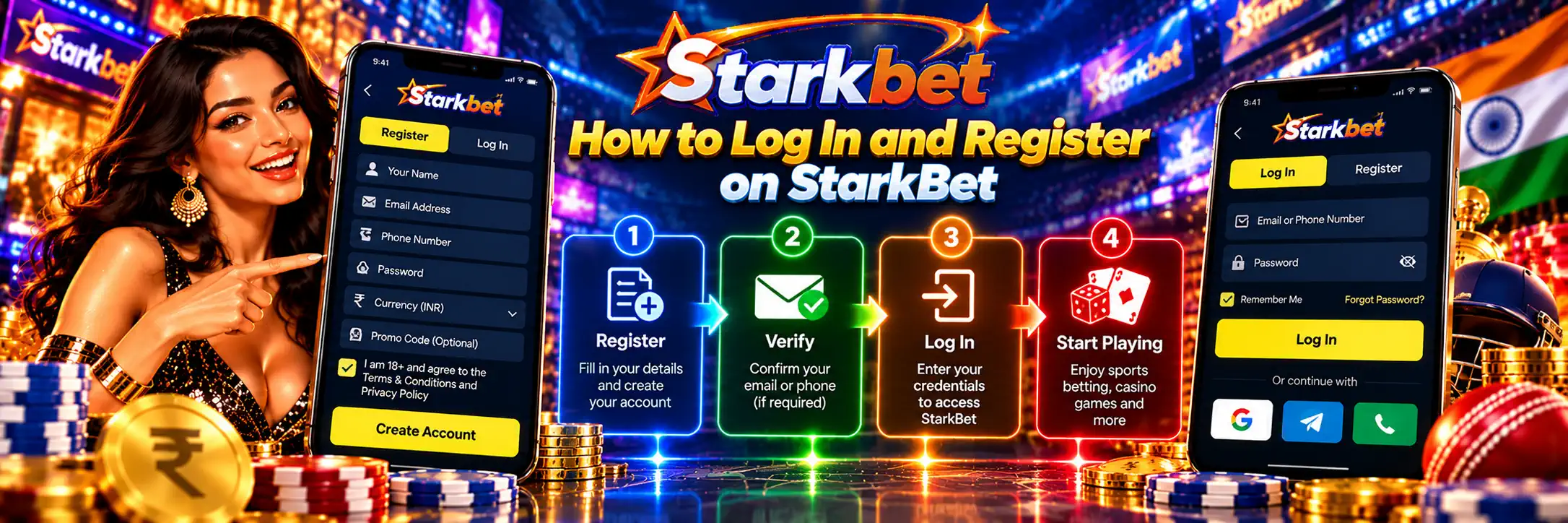
The steps are few. The labels on the buttons can still differ.
- Open the current StarkBet access route used on this site.
- Choose the registration option.
- Enter the core information requested by the current form.
- Check that the details are accurate.
- Review any eligibility or platform terms shown at that moment.
- Submit the registration.
- Confirm that the account has been created before you continue.
That last look matters. The flow should make it clear when the account exists. If the screen still looks like a form, do not assume you are in. If it looks finished, do not immediately open a second registration “to be sure.” There is no guaranteed auto-login described here.
Registration can be done from a phone. A lot of people in India will do it that way. A cramped screen is not a reason to skip the accuracy check. Fields may sit awkwardly. Closing the app may not resume on the same line. If you leave halfway, open the same access route again and see whether you are creating or logging in.
A deposit is not part of this list. Neither is a first bet. A promo code is not part of this list either, unless the live form actually shows an optional field. Opening the account is enough for this step. Funding it is a later decision on depositing at StarkBet.
Why Accurate Registration Details Matter Later
Details that feel small today can matter when a check starts.
Registration details that seem minor at sign-up can matter when verification begins later. The account already holds what you typed. A later request may need to connect that account with identity or payment evidence. If those pieces do not line up, the delay often starts with the old registration data — not with the withdrawal screen where it finally appears.
Incomplete or careless details can slow a check. A mismatch with a payment method can slow a payout. That is not the same as saying every typo closes the account on the spot. A formatting difference is not automatically a ban. Accurate information just gives the later check less to argue with.
Use your own details. Act for yourself. Someone else’s name, someone else’s payment rail, a borrowed identity — those create a mismatch that is hard to explain when money tries to leave. Identity and payment ownership sit together when account verification appears.
If you notice a mistake after the account exists, do not “fix it” by opening a second login. Stay on the original account. Use the current contact route if the live account area does not let you correct what needs correcting.
What StarkBet Means by Core Account Information
The first form is meant to open a login. It is not a full profile.
Registration collects the information required by the current account-creation flow. That is the “core” idea: enough to create the account, not a long questionnaire about betting habits, favourite sports or where you want to play. Forced game preferences are not part of this first step.
The live form is the list. Fields that are common on other sites are not automatically the fields on StarkBet today. Enter what is asked. Skip what is not asked. Do not paste extra documents into registration because a forum treated them as day-one requirements.
Credentials belong in this step only in the sense that you will need a way back in. The current login flow decides what those credentials look like. There is no password-length rule, expiry rule or symbol rule published here. Remember what you set. Recovery exists later if you forget. A second account is still the wrong workaround.
If a code box appears, it is an extra for a campaign, not the door into the account. Whether an offer actually attaches sits with StarkBet bonuses and the code’s own terms — not with the fact that you finished sign-up.
How to Log In to an Existing StarkBet Account
 Withdraw Now
You already have the account. Login just opens it.
- Open the current StarkBet login route used on this site.
- Enter the credentials requested by the current login form.
- Review them if access is rejected.
- Submit the login.
- Continue into the same existing account.
That last point is the whole job. You should land in the account you already created — same balance, same history, same open bets. A new device does not create a new person. The credentials the live form asks for are the credentials. Use those. Do not guess a PIN, a face scan or a different identifier the form never showed.
Use the intended StarkBet route from this site. A copied page that looks similar is not a reason to type the same details. Header Log in and Sign up on this site both open the current access path. That is the same path this article points at.
Phone and desktop both use this login. How app access and browser access differ is on the StarkBet mobile app page. Sign-in still belongs here. Install steps belong there.
What to Do When StarkBet Login Does Not Work
Forgot the credentials. Should you register again? No.
Access can fail for ordinary reasons. A typing mistake. The wrong account details. A different device than last time. Those are possibilities, not a scoreboard of whose fault it is. Do not treat a rejected login as proof the account vanished.
- Check the credentials you entered.
- Make sure you are on the intended StarkBet access route.
- Use the recovery option on the current login screen if the details are forgotten.
- Do not create another account because login failed.
- Use StarkBet contact if access still cannot be restored.
Recovery sits on the live login flow. Use whatever that screen actually offers. If nothing on the screen helps, the contact route is next — describe the existing account, not a wish to open a spare one.
Switching from phone to laptop is not, by itself, a broken login. Sign in on the new screen with the same credentials. If the new screen looks like registration, stop. You already have the account.
| Account Access Situation | First Thing to Check | Next Step |
|---|---|---|
| New user | Whether an account already exists | Register only if it does not; then confirm creation |
| Returning user | The current login route and the credentials it asks for | Submit login into the existing account |
| Credentials not accepted | Typing, the intended account, the intended StarkBet route | Retry once, then use recovery if still rejected |
| Credentials forgotten | The recovery option on the current login screen | Do not open a second registration |
| Changed device | Same account credentials on the new screen | Sign in; do not create another login |
| Verification requested | What the account actually asked for | Send that; stay on the original account |
One Account Should Follow You Across Devices
Does changing from phone to laptop require another account? It shouldn’t.
Mobile and desktop are ways of reaching the same StarkBet account. The login belongs to the account, not to the handset. Switching device should not mean a new registration or a second set of credentials.
Account information sits on the account. It does not live only on the last phone you used. A phone and a laptop may not update at the same second. If they disagree, trust the login you are in now. Then refresh that session rather than opening a spare account to “match” the other screen.
Android, iPhone and a computer browser can all be routes in. Which installer to use, and how the app differs from the browser, sits on mobile account access. Keep the same login across those routes. Change the device. Do not change the person.
On a borrowed phone or a shared computer, sign out when you are done. Continuity across your own devices is not a reason to leave the account open on someone else’s.
Why Creating a Second Account Can Cause Problems
Losing access is a recovery problem. It is not a registration problem.
StarkBet applies a one-account-per-user principle. One person. One login. If you cannot get into the first account, recover it. A second registration is not the ordinary path.
Duplicate accounts can tangle bonuses, verification and a later security or account review. Offers sit on a login. Checks sit on a login. Two logins for one person make those pieces harder to line up. That is enough reason to stay on the original account.
There is no automatic permanent ban, seized balance or device block described here. Accounts may be restricted or reviewed according to the applicable account rules. Read those terms. Do not assume a harsher penalty as an excuse to hide a second sign-up.
If recovery fails and contact still cannot restore the first login, wait on that process. Opening a spare account “just until it is fixed” is how people end up with two histories they cannot join.
When StarkBet May Ask for Verification
 Withdraw Now
Registration opened the door. A later check may still ask who is standing in it.
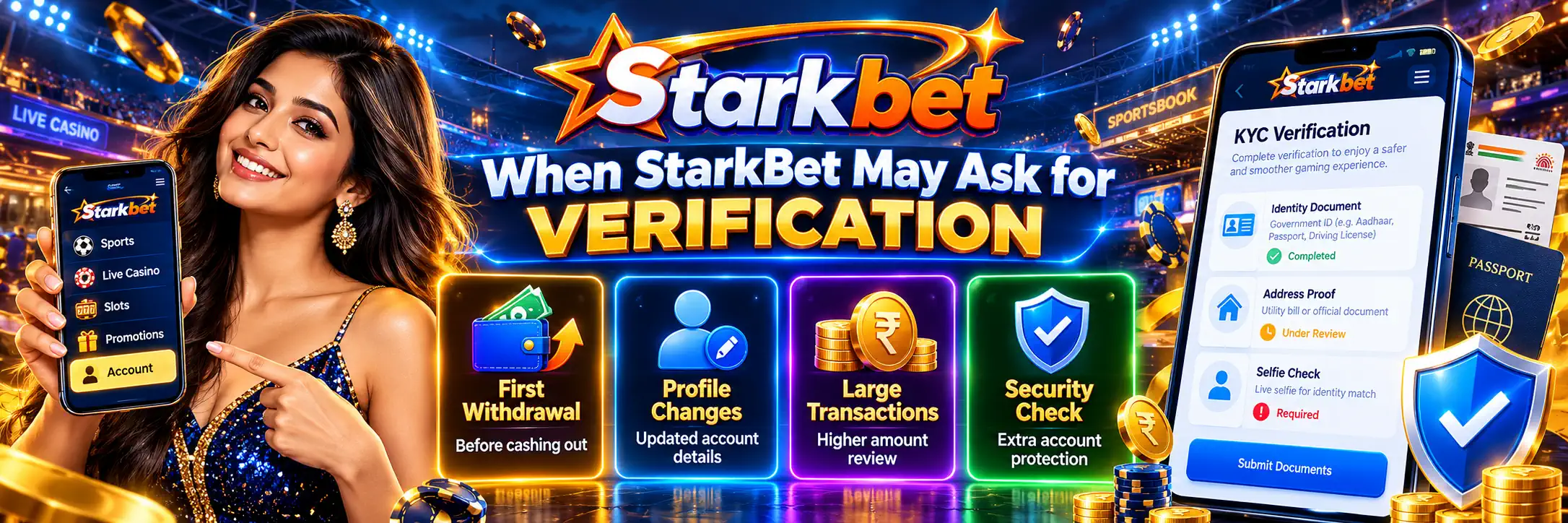
KYC is not the same as initial registration. Verification often appears later. A withdrawal is a common trigger. A change to payment details can bring it up. So can a security look or an inconsistency in account details. Other activity that needs confirmation can too. The exact mix depends on the case.
What is asked depends on the case as well. A government-issued ID may be requested. Proof of address can come up. Proof you own a payment method can come up. There is no rule here that every user must send all three, and those files do not belong on the ordinary registration checklist. Send what is asked. Skip extra files nobody requested.
Timing is not a published clock. Document clarity, whether the details match the account, and how many reviews are already waiting can all change the wait. There is no five-minute promise on this page.
How the check works, and what to do while it is open, sits on the StarkBet verification process. A later request is still the same account. Do not register again to “speed it up.”
Keeping StarkBet Account Access Private
 Download APP
The login is yours. Treat it that way on a shared screen too.
Keep the credentials private. Do not share the account. Do not let someone else “just check a match” from your login. If the phone or computer is shared, sign out when you are done. Use the intended StarkBet route from this site rather than a page you cannot place.
If you think someone else got in, use the current StarkBet contact route. Describe that it is suspected unauthorised access on an existing account. Ordinary care with the credentials is the part that sits here.
A friend depositing through your login, or you logging into theirs, is how payment ownership and identity later fail to match. That problem shows up on StarkBet payment methods and at withdrawal — not as a clever shortcut on day one.
Creating an Account Does Not Commit You to Betting
Registration creates access. Login restores access. Neither action is a bet.
You do not have to put money in because the account now exists. You do not have to place a stake because you signed back in. Creating an account does not require placing money immediately. Depositing and betting stay separate decisions.
If you later open the cashier, that is a funding choice. How money moves sits with payments at StarkBet. Decide whether and how much to spend before you move into real-money activity. An empty account is still an account.
Walking away after registration is allowed. So is logging in, looking around, and leaving without a stake. Longer notes on keeping play inside a budget sit under StarkBet responsible gambling. This page explains how to get into the account. It is not a reason to fund the next bet because the sign-up screen is already behind you.